Converting text to MP3 offers you the flexibility to listen to blog posts, e-books, or any documents while doing household chores or working out at the gym, etc. So, if you are looking for a great way to convert text to MP3 for multitasking, audiobooks or easing eye strain after hours of reading, we’ve got you covered!
In this tutorial, we will walk you through the 4 best ways to convert text to MP3 audio files online using AI text-to-speech generators. So, you can easily convert any text to MP3 audio files with human-sounding voices for listening, video projects, or other repurposings.
Here’s What You Will Learn:
Also read, the 6 great ways to convert JPG to MP4 with audio.
1. Convert Text to MP3 Free by FlexClip
Whether you are a social media content creator or an individual who needs to convert text to MP3 free for video projects, podcasts, audiobooks, or personal listening, the user-friendly and feature-packed FlexClip AI video maker is your go-to choice to convert text to MP3 for realistic AI voices with emotions and styles.
Easily convert text to MP3 free by FlexClip online.

Best Features to Convert Text to MP3 by FlexClip:
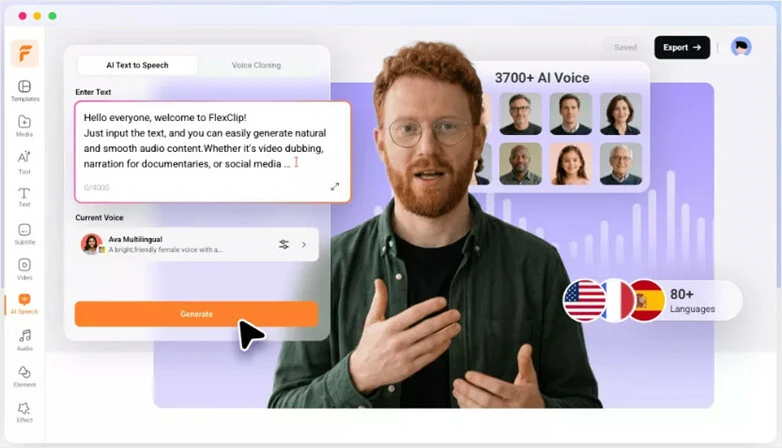
Convert text to realistic AI voices and automatically save them to MP3.
Convert text to realistic AI voices and automatically save them to MP3.
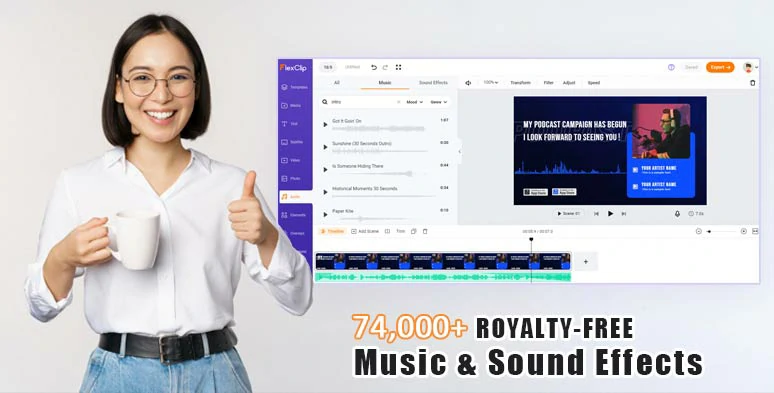
Vast royalty-free music and sound effects are available for audio mixing.
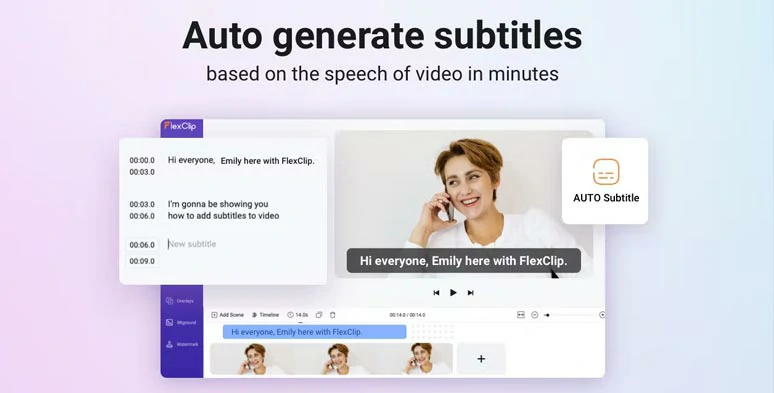
Automatically add subtitles to your video with the click of a button.
How to Convert Text to MP3 Free by FlexClip Online:
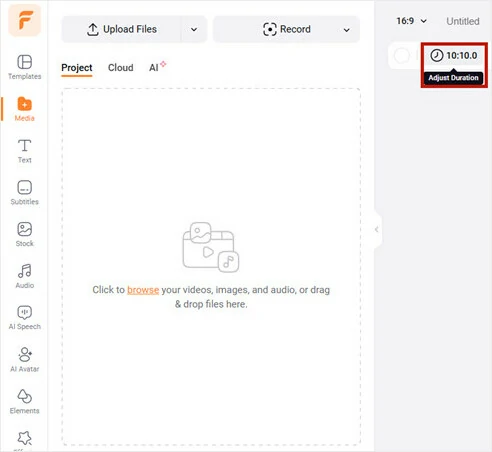
Access FlexClip and adjust the video duration needed.
Click the AI Speech tab > select the language needed >preview the AI voice avatar’s voice, and pick one you like > set voice style (such as: chat, friendly, hopeful, whisper, angry, excited, terrified, newcast, etc. ), voice speed and pitch > copy and paste text in the Text block > preview the AI-generated voices > hit the Download button to save.
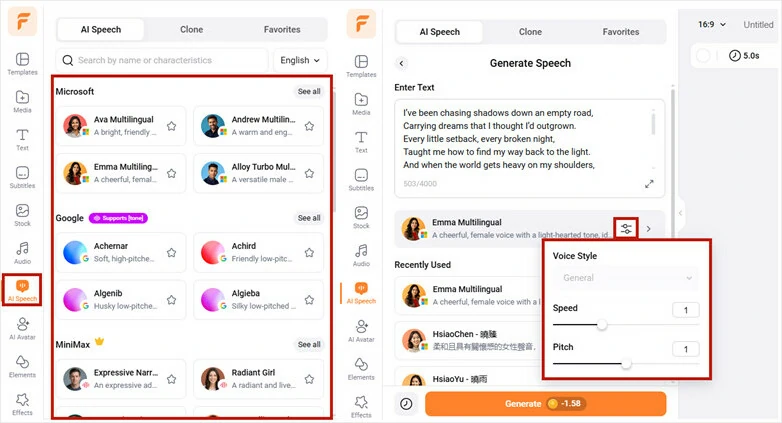
Select an AI voice and set the voice style and convert text to realistic AI voices.
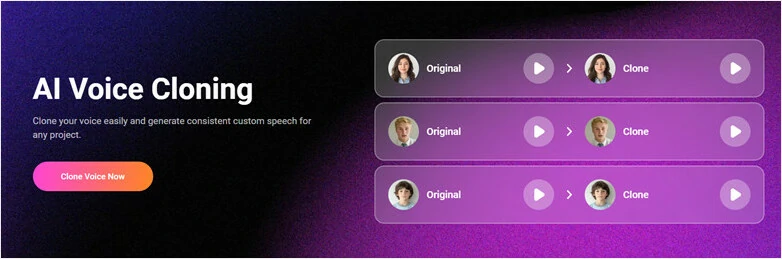
Or if you want to convert text into MP3 file with your own voice model. Simply switch to Clone mode, upload a voice sample by uploading a file or directly capturing an audio recording, then use it to narrate your script.
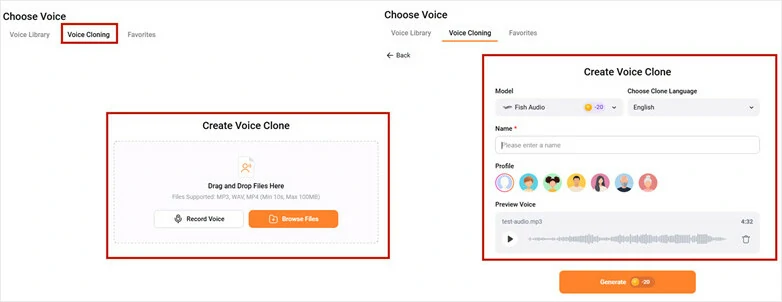
Convert Text into MP3 with Voice Cloning Feature.
Meanwhile, FlexClip allows you to save the realistic AI voice in MP3 format to your PC. Then, you can repeat the same step above to convert all the text to MP3 audio files effortlessly.
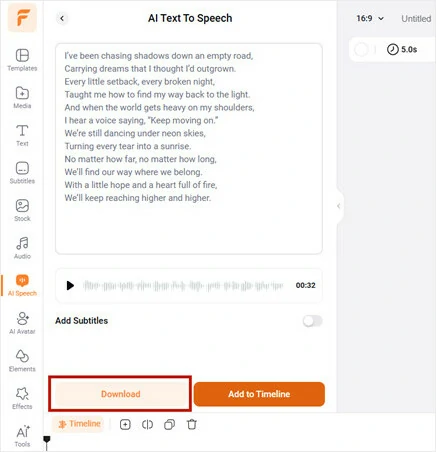
One MP3 audio file will be saved to your PC and the other one saved to Media Library for audio mixing.
Alternatively, you can convert all the text to MP3 with different voices > add these MP3 audio files to the audio track > trim or split the audio or adjust its volume > click the Audio tab > add royalty-free music and sound effects to add rhythm, emotions, and depth need for your audiobooks or podcasts > export the video as an MP3 audio file. Easy peasy lemon squeezy!
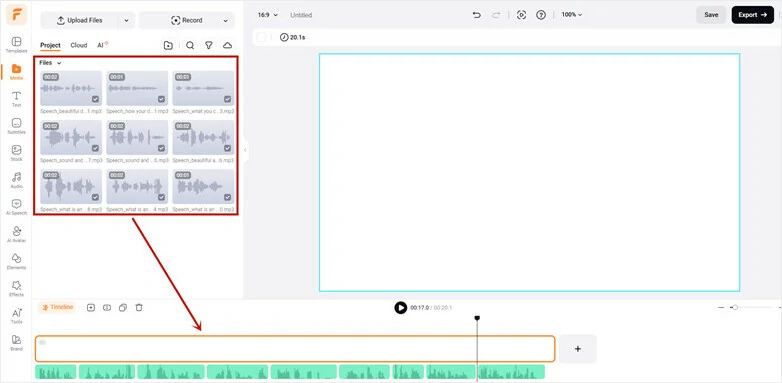
Add all AI voices to the audio tracks for edits.
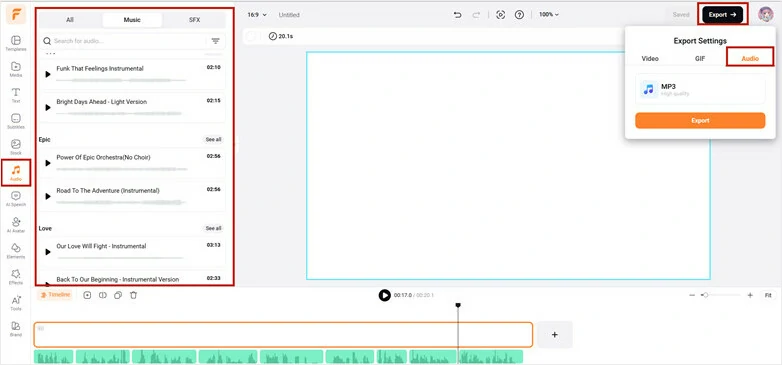
Add royalty-free music and sound effects for audio mixing and save it to MP4.
If you need to generate AI scripts for YouTube, Instagram Reels, or other video content, FlexClip’s AI video script generator, powered by mighty ChatGPT, is also available to you for free. You can generate AI scripts and easily convert text to video.
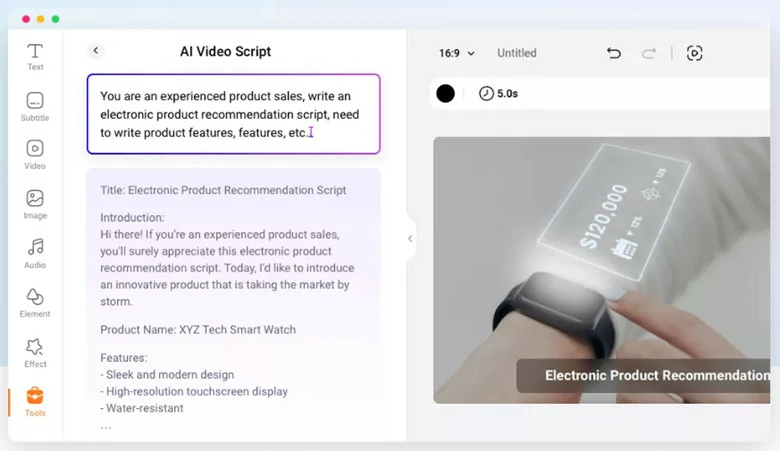
Use free AI video scripts generator to write scripts for your videos.
Downside:
2. Convert Text to MP3 Free by PlayHT
Another flexible way to convert text to MP3 free is using PlayHT, a versatile and easy-to-use text-to-audio online editor. PlayHT uses generative machine-learning technology to convert text to MP3 and WAV for human-like AI voices.
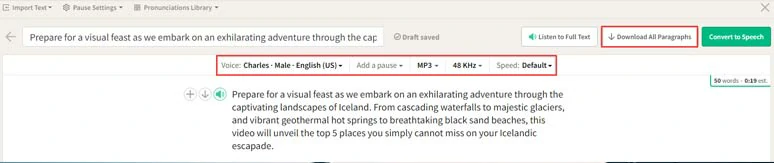
Convert text to mp3 by PlayHT.
You have 5,000 free word credits per month to convert text to MP3 for free. If you run out of free word credits, you can upgrade to a subscription package and choose more ultra-realistic AI voices. The latest update even allows you to upload your voice and voice clone your voice to a celebrity’s voice, such as Elon Musk and Dwayne, Johnson, Tom Hanks, etc.
Best Features to Convert Text to MP3 by PlayHT:
How to Convert Text to MP3 Free by Play.HT Online:
Downside:
3. Convert Text to MP3 Free by Voicemaker
If you only need a straightforward solution to convert text to MP3 for free, then Voicemaker, a self-explanatory online text-to-speech convert, deserves to be bookmarked.
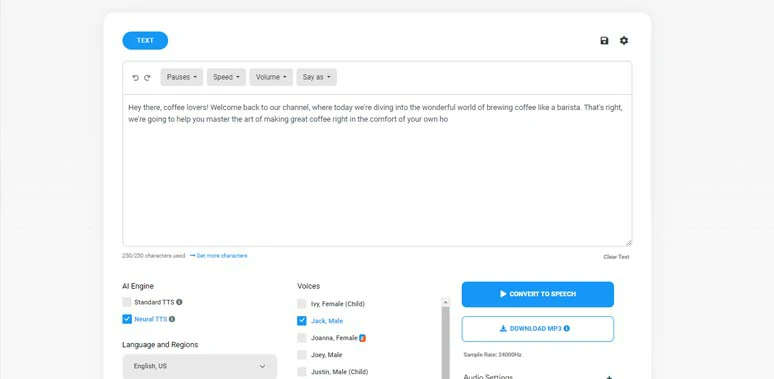
Convert text to MP3 by Voicemaker.
Likewise, Voicemaker offers you 250 free word credits to convert text to MP3 for free to get a bite of its natural-sounding AI voices. Then, just spend 5$ per month, and you can access all of its premium AI voices and convert up to 200k characters to MP3 per month. For students and freelancers, it is such an unbeatable deal!
Best Features to Convert Text to MP3 by Voicemaker:
How to Convert Text to MP3 Free by Voicemaker Online:
Downside:
4. Convert Text to MP3 Free by FreeTTS
Powered by Google’s TTS, FreeTTS is one of the handfuls of free text-to-speech converts that can help you convert text to MP3 audio files with natural-sounding AI voices. It’s extremely easy to use and you don’t even need to sign up for its account to convert text to MP3.
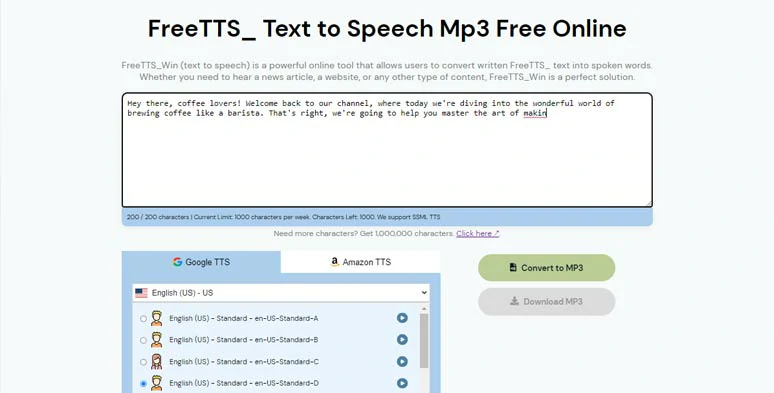
Convert text to MP3 by FreeTTS.
For free users, it offers you 1,000 characters word credits to convert text to MP3 for free per week and you can choose standard TTS to convert text to MP3. Luckily, all the AI voices can be used for commercial purposes. Alternatively, you may upgrade to a monthly subscription to unlock more text for MP3 conversion and more realistic AI voices.
Best Features to Convert Text to MP3 by FreeTTS:
How to Convert Text to MP3 Free by FreeTTS Online:
Downside:
Now, It's Your Move
With these user-friendly text-to-MP3 converters, you can easily convert text to MP3 for your video projects, e-books, blog posts, or any other written content. Please feel free to experiment with all of the solutions above and share this post on your Facebook or Twitter and tell us which one works best for you. Cheers!




FlexClip AI Video Maker
Reach professional-quality videos faster with easy editing tools, templates, and smart AI.
Start Now for Free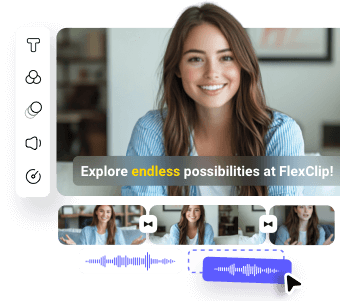
Hot & Trending
-
Best Ways to Find Music in YouTube Videos
-
Instagram Story Video Quality Bad After Upload? Fix It!
-
How to Repost Video on TikTok & How to Remove TikTok Repost
-

Improve Video Quality Online: 3 AI Video Quality Enhancers You Can't Miss
-

4K Convert to HD 1080p without Watermark: Best 4k Video Converters
-
Best 8 Free Video Editors - No Download Required
-
Top 13 Birthday Video Makers with Music and Effects Free
-
How to Search Filters on TikTok & Use a Filter You See - TikTok Filter Guide